
Who It’s For
- Brokers
- Owners
- Admins
- Super Users
Video Walkthrough
What It Does
Backup Management allows you to generate, download, and store complete off-platform backups of your transaction data, documents, and review history.
Backups support audits, compliance, and long-term record retention.
Where to Access
- Left navigation
- General Information
- Backup Management
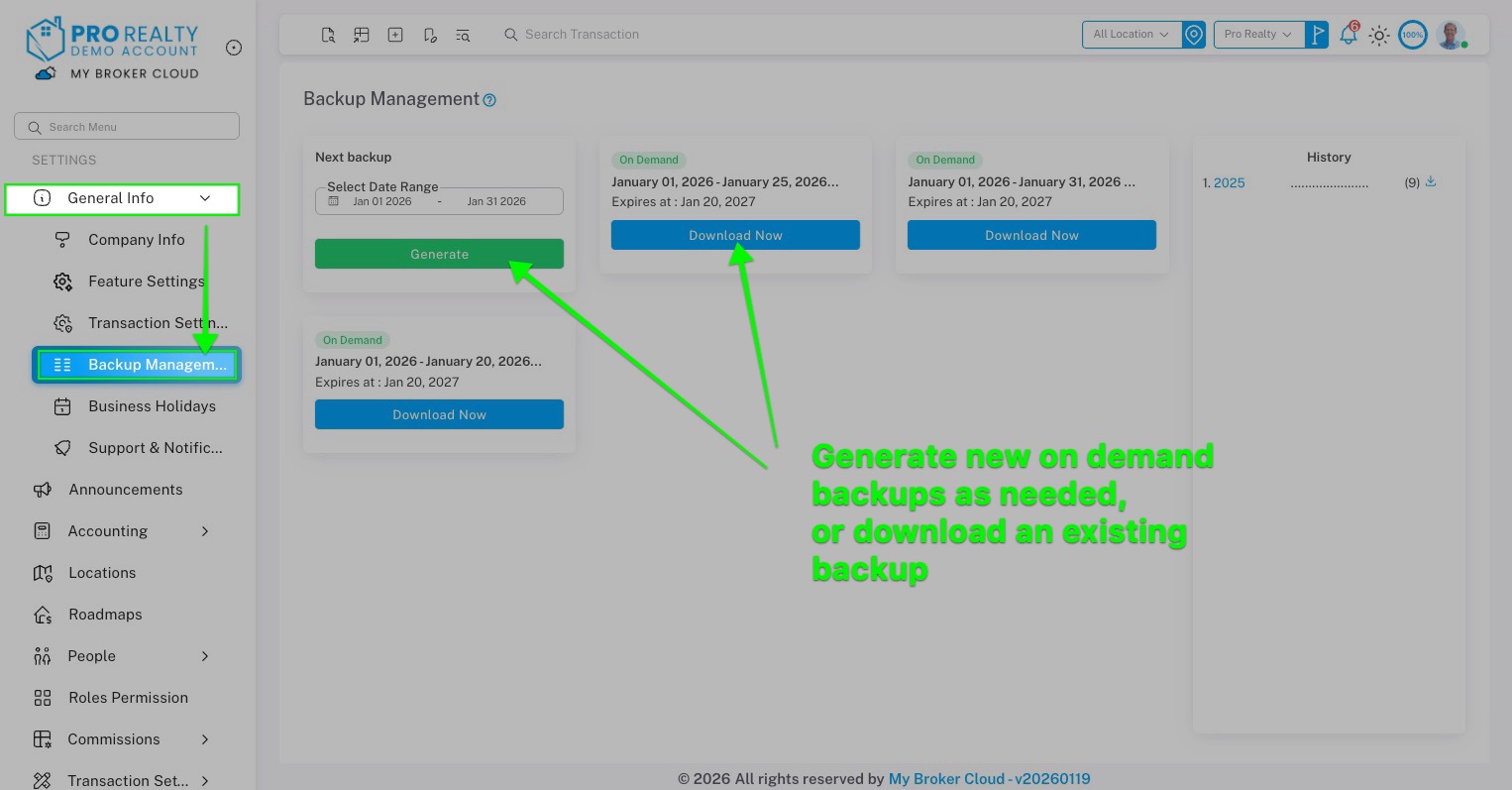
Main Function Description
Automatic Backups
- Backups are automatically generated at the end of each month
- Each backup appears as a card in the Backup Management section
- Yearly history is shown on the right side for prior years
Manual Backup Generation
- Select a custom date range
- Click Generate Backup
- Confirm the download
Once generated:
- An email with a download link is sent
- Email is sent to all Super Users on the account
- A new backup card appears with a Download Now option
Backup File Contents
Each downloaded backup includes:
1. Properties Folder
- All properties created or closed in the selected date range
- Each property contains:
- Property overview PDF
- Property CSV file
- All associated documents
- Full document review history
- Review timestamps
- Completion status
- Notes and comments
2. Commissions File
- Commission records for the same date range
- Provided for reference and auditing
Review History & Audit Support
- Every document includes:
- Review actions
- Date reviewed
- Completion status
- Notes or requested changes
This creates a clean, complete audit trail.
FAQ
Are backups stored outside of the platform?
Yes. Backups are downloaded as ZIP files for secure offsite storage.
Who receives the backup download email?
All Super Users on the account.
Can I generate backups for specific time periods?
Yes. Manual backups allow full date-range selection.
Does the backup include documents and review history?
Yes. All associated documents and their review history are included.


